Most personal email accounts let you send about 25 MB per message. Apple’s iCloud Mail is the exception at 20 MB. Every provider also offers a way around its limit, through a cloud link or Apple’s Mail Drop.
We checked each provider’s own help page on 6 November 2026. Here are the numbers, what happens when you go over, and how to get a file under the limit.
Attachment limits by provider
| Provider | Sending limit | Receiving limit | Over the limit |
|---|---|---|---|
| Gmail (personal) | 25 MB | Not stated on the help page | Gmail turns the file into a Google Drive link automatically |
| Outlook.com | 25 MB per email, text and attachments together | Same 25 MB per email | Share it as a OneDrive link, up to 2 GB per file |
| Yahoo Mail | 25 MB of attachments in total | 25 MB of attachments in total | Use a cloud storage link |
| iCloud Mail | 20 MB per message | 20 MB per message | Mail Drop: up to 5 GB, link lasts 30 days |
| Proton Mail | 25 MB of attachments, up to 100 files | 50 MB of attachments | Use a Proton Drive link |
Why a 20 MB file can still bounce
Email sends attachments as text, using an encoding called Base64. That makes every file about a third bigger on the way out. Proton’s help page warns about this overhead too. In practice, a 20 MB PDF can count as roughly 27 MB against a 25 MB limit.
Two more things catch people out:
- The limit covers everything in the email. Three 9 MB attachments add up to 27 MB, even though each one looks small.
- The recipient’s limit matters as much as yours. Sending from Gmail to someone on iCloud, anything over 20 MB can bounce even though Gmail accepted it.
To be safe, keep the total under about 18 MB for a normal attachment, and under 14 MB if the person uses iCloud.
How to get a PDF under the limit
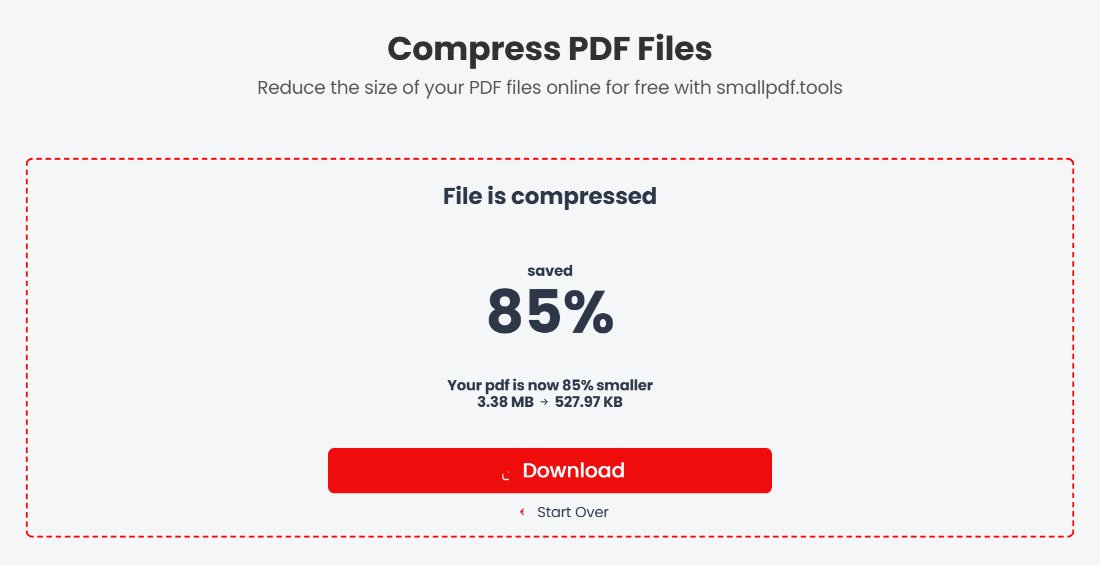
- Compress it. Scans and photo-heavy PDFs shrink the most. In our compression test, the Recommended level took an 8-page, 15 MB scan down to 1.3 MB. Use Compress PDF.
- Remove pages nobody needs. Blank backs of scanned pages and cover sheets add size for nothing. Remove PDF Pages takes them out.
- Split it. If it is still too big, send it in two emails. Extract PDF Pages lets you save pages 1 to 20 and 21 to 40 as separate files.
- Send a link instead. For very large files, Google Drive, OneDrive, iCloud Mail Drop and Proton Drive all handle files far beyond any email limit.
Quick answers
What is the Gmail attachment limit?
25 MB for personal accounts. Above that, Gmail puts the file in Google Drive and sends a link instead.
Can I email a 30 MB PDF?
Not as a normal attachment with any provider in the table. Compress it first, or send a cloud link. Most 30 MB PDFs are scans or full of photos, and those usually compress to a few megabytes.
Does zipping a PDF make it small enough?
Rarely. PDFs are already compressed inside, so a ZIP usually saves only a few percent. Compressing the PDF itself works much better.